Build a Social Media Scheduling SaaS People Will Actually Pay For
Most creators and small businesses do not need another complicated marketing dashboard. They need a clear place to prepare content, keep channels active and see whether their effort is working. This guide shows how to turn that everyday need into a focused software offer.
Business model
Best audiences
Offer ideas
Pricing logic
Launch plan
Executive summary
Sell consistency, not more content
Businesses often know they should post, but publishing is pushed aside by client work, approvals and a lack of structure. A branded scheduling platform can turn scattered drafts into a simple weekly workflow. The software is only the foundation. The valuable offer is a useful setup, an easy publishing process and reporting the customer understands.
01. Opportunity
The simple problem behind a valuable software offer
Social media is rarely ignored because a business owner does not care. It is ignored because content lives in too many places, nobody knows what is due next and posting competes with urgent work. A focused platform gives a customer one routine: prepare, approve, schedule and review.
Content without a home
Drafts, images and captions sit across phones, spreadsheets and chat threads, making consistent publishing harder than it should be.
Too many manual steps
Opening each channel separately is manageable once. Repeating it every week for several accounts becomes the reason content gets skipped.
Reporting that means nothing
Raw numbers do not help an owner decide what to do next. They need a short view of activity, reach and the next content decision.
The strongest position: Do not sell post scheduling software. Sell a calmer, repeatable publishing system for a specific type of customer.
02. Business model
Three ways to package the same foundation
You do not need to compete with every large social media suite. Start with one audience, one clear workflow and a level of support that matches what you can reliably deliver.
Self-serve creator tool
Offer a clean workspace for solo creators who want to prepare and queue posts without learning an enterprise platform.
Agency client portal
Give clients a branded place to review calendars, submit content and see progress while your team retains the operating workflow.
Local business content service
Bundle software access with monthly planning, caption support and a simple report for businesses that want consistency but not another task.
03. Target market
Pick customers who value a visible online presence
The best early customers already use social channels to attract interest, have a recognisable service or product and lose momentum when publishing becomes inconsistent. Narrow positioning also makes your landing page and demo much clearer.
Potential audiences for a social media scheduling SaaS
Audience
Publishing friction
Useful starting offer
What to measure
Local service businesses
Content disappears during busy weeks
Weekly calendar and approval workflow
Posts published on schedule
Small agencies
Client approvals happen in messages
Branded client workspace
Approval turnaround time
Coaches and educators
Launch content is prepared too late
Campaign calendar and reusable post flow
Campaign consistency
Property and automotive teams
Time-sensitive listings need coordination
Team schedule and channel organisation
Publishing speed
Creators with multiple channels
Repurposing becomes repetitive work
Central drafting and queue planning
Channel activity over time
04. Offer design
Create a reason to choose you over a generic tool
Your buyer should understand the outcome in one sentence. Keep the first version narrow. Adding too many channels, services and promises before the workflow is proven makes support harder and the offer less convincing.
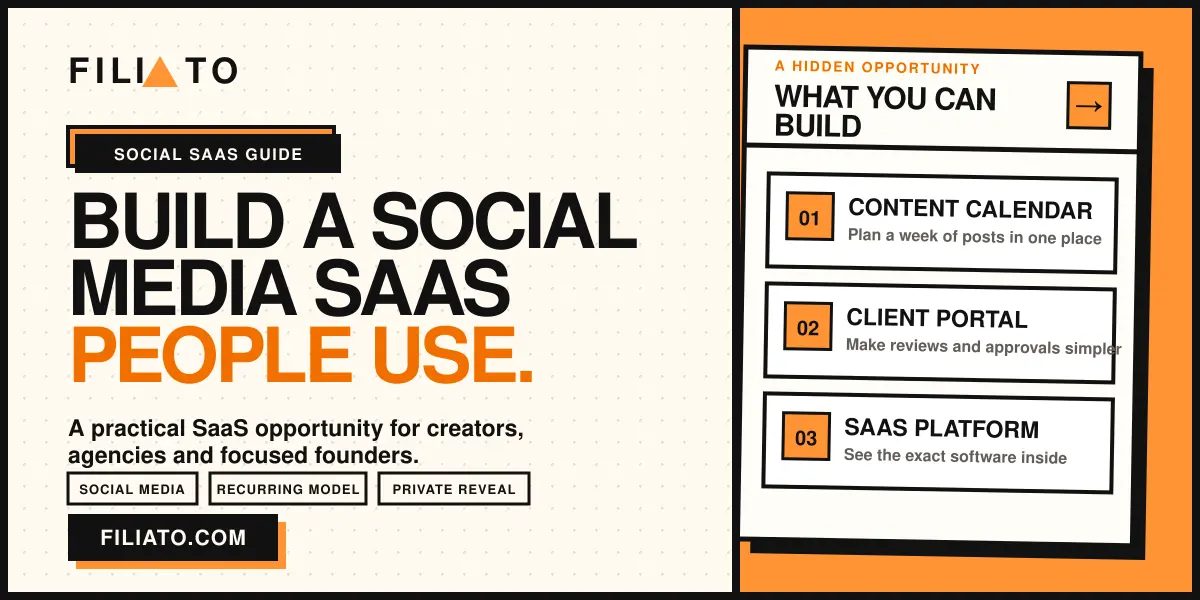
The Content Calendar
Workspace setup and brand settings
A simple weekly publishing rhythm
Connected social accounts
Practical onboarding guidance
The Agency Portal
Dedicated client access
Approval and planning workflow
Membership-based access
Monthly activity report
The Done-With-You System
Everything in the portal
Content planning session
Caption and scheduling support
Monthly improvement review
Clear offer example We help independent gyms keep their social channels active with a shared weekly calendar, simple approvals and scheduled publishing. Your team stays in control, without having to remember every post.
05. Pricing logic
Charge for the result and the responsibility
Price depends on your audience, market, connected accounts, support expectation and whether you also provide services. These are planning structures, not recommended price points or revenue promises.
Software membership
A recurring fee for access, account limits, platform maintenance and a defined support level.
Setup fee
A one-time charge for onboarding, account connection, branding, initial calendar setup and team training.
Managed service
A higher recurring tier for planning, content coordination, reporting and scheduled publishing support.
Protect your margin: Define account limits, support hours and what happens when a social platform changes its connection rules. Do not offer unlimited help at a price that only works in a perfect month.
06. Delivery
Make onboarding feel useful from day one
A good setup turns a software login into a working habit. Build one repeatable onboarding path and test it with a few real customers before adding custom exceptions for every new client.
Before access is granted
Agree on the account owner and user roles
Collect branding, channels and publishing responsibilities
Confirm content approval and account security rules
Set a realistic first publishing target
During the first month
Build the first content calendar together
Test connected accounts before important posts
Review publishing activity each week
Use feedback to simplify the workflow
07. Technical reality
Self-hosted software gives control, not zero responsibility
The platform behind this guide is a self-hosted Laravel application built for a modern PHP environment. It includes source code and is designed around a membership model, but you remain responsible for hosting, updates, backups, account connections, privacy practices and customer support.
You control
Your branding and user experience
Hosting and deployment
Membership plans and payments
How clients are supported
You must verify
Current platform connection support
Server and queue requirements
Commercial license fit
Privacy and data handling obligations
Never overlook
Expired social account credentials
Failed scheduled posts
Backup and restore testing
Clear terms for users and clients
08. Launch roadmap
A focused 30-day validation plan
The first goal is not a perfect platform. It is proof that a defined audience values a clearer way to manage its social publishing and will pay for it.
Days 1 to 7: ChoosePick one audience and identify its most frustrating publishing habit.
Days 8 to 14: BuildSet up a branded demonstration workspace and test the full workflow.
Days 15 to 21: PackageDefine access, onboarding, boundaries and a simple pilot offer.
Days 22 to 30: ValidateShow the workflow to qualified prospects and learn from real objections.
09. FAQ
Social media scheduling SaaS questions
Do I need to build a platform from scratch?
No. A licensed self-hosted application can provide the core product. You are still responsible for implementation, hosting, commercial licensing, security, client support and the quality of your offer.
Can this work for an agency?
Yes, if your workflow is designed around your clients. A branded workspace can make approvals, schedules and reporting easier to manage, but it does not replace account management or content strategy.
Are there still ongoing costs?
Yes. A one-time software purchase does not cover servers, domains, email delivery, payment processing, social platform requirements, maintenance or your support time.
What should I sell first?
Start with one audience and one understandable outcome, such as helping a local business maintain a reliable weekly publishing routine. Prove the workflow before expanding the product.
How do I reveal the exact software?
Use the protected section below. It reveals the platform name, purchase source, license notes, current feature evaluation and the checks to make before you buy.
Private software reveal
See the exact platform behind this opportunity
Unlock the protected section to reveal the software name, current purchase source, licensing notes, technical considerations and the full feature evaluation.
Ready to see the platform that can power this type of offer?
Review the current license, connection requirements and ongoing costs before buying or selling access.
Educational information only. Verify current platform support, license terms, pricing, privacy duties and technical requirements before you purchase or launch a service.
Unlock the complete resource
Enter your email to instantly unlock the protected content below.
Filiato software spotlight AI Data Analysis SaaS Opportunity Most Founders Overlook Businesses collect sales, marketing and operational data every day. The difficult…
Build a Social Media Scheduling SaaS People Will Actually Pay For
Most creators and small businesses do not need another complicated marketing dashboard. They need a clear place to prepare content, keep channels active and see whether their effort is working. This guide shows how to turn that everyday need into a focused software offer.
Sell consistency, not more content
Businesses often know they should post, but publishing is pushed aside by client work, approvals and a lack of structure. A branded scheduling platform can turn scattered drafts into a simple weekly workflow. The software is only the foundation. The valuable offer is a useful setup, an easy publishing process and reporting the customer understands.
The simple problem behind a valuable software offer
Social media is rarely ignored because a business owner does not care. It is ignored because content lives in too many places, nobody knows what is due next and posting competes with urgent work. A focused platform gives a customer one routine: prepare, approve, schedule and review.
Content without a home
Drafts, images and captions sit across phones, spreadsheets and chat threads, making consistent publishing harder than it should be.
Too many manual steps
Opening each channel separately is manageable once. Repeating it every week for several accounts becomes the reason content gets skipped.
Reporting that means nothing
Raw numbers do not help an owner decide what to do next. They need a short view of activity, reach and the next content decision.
Three ways to package the same foundation
You do not need to compete with every large social media suite. Start with one audience, one clear workflow and a level of support that matches what you can reliably deliver.
Self-serve creator tool
Offer a clean workspace for solo creators who want to prepare and queue posts without learning an enterprise platform.
Agency client portal
Give clients a branded place to review calendars, submit content and see progress while your team retains the operating workflow.
Local business content service
Bundle software access with monthly planning, caption support and a simple report for businesses that want consistency but not another task.
Pick customers who value a visible online presence
The best early customers already use social channels to attract interest, have a recognisable service or product and lose momentum when publishing becomes inconsistent. Narrow positioning also makes your landing page and demo much clearer.
Create a reason to choose you over a generic tool
Your buyer should understand the outcome in one sentence. Keep the first version narrow. Adding too many channels, services and promises before the workflow is proven makes support harder and the offer less convincing.
The Content Calendar
The Agency Portal
The Done-With-You System
Charge for the result and the responsibility
Price depends on your audience, market, connected accounts, support expectation and whether you also provide services. These are planning structures, not recommended price points or revenue promises.
Software membership
A recurring fee for access, account limits, platform maintenance and a defined support level.
Setup fee
A one-time charge for onboarding, account connection, branding, initial calendar setup and team training.
Managed service
A higher recurring tier for planning, content coordination, reporting and scheduled publishing support.
Make onboarding feel useful from day one
A good setup turns a software login into a working habit. Build one repeatable onboarding path and test it with a few real customers before adding custom exceptions for every new client.
Before access is granted
During the first month
Self-hosted software gives control, not zero responsibility
The platform behind this guide is a self-hosted Laravel application built for a modern PHP environment. It includes source code and is designed around a membership model, but you remain responsible for hosting, updates, backups, account connections, privacy practices and customer support.
You control
You must verify
Never overlook
A focused 30-day validation plan
The first goal is not a perfect platform. It is proof that a defined audience values a clearer way to manage its social publishing and will pay for it.
Social media scheduling SaaS questions
Do I need to build a platform from scratch?
No. A licensed self-hosted application can provide the core product. You are still responsible for implementation, hosting, commercial licensing, security, client support and the quality of your offer.
Can this work for an agency?
Yes, if your workflow is designed around your clients. A branded workspace can make approvals, schedules and reporting easier to manage, but it does not replace account management or content strategy.
Are there still ongoing costs?
Yes. A one-time software purchase does not cover servers, domains, email delivery, payment processing, social platform requirements, maintenance or your support time.
What should I sell first?
Start with one audience and one understandable outcome, such as helping a local business maintain a reliable weekly publishing routine. Prove the workflow before expanding the product.
How do I reveal the exact software?
Use the protected section below. It reveals the platform name, purchase source, license notes, current feature evaluation and the checks to make before you buy.
See the exact platform behind this opportunity
Unlock the protected section to reveal the software name, current purchase source, licensing notes, technical considerations and the full feature evaluation.
Ready to see the platform that can power this type of offer?
Review the current license, connection requirements and ongoing costs before buying or selling access.Educational information only. Verify current platform support, license terms, pricing, privacy duties and technical requirements before you purchase or launch a service.