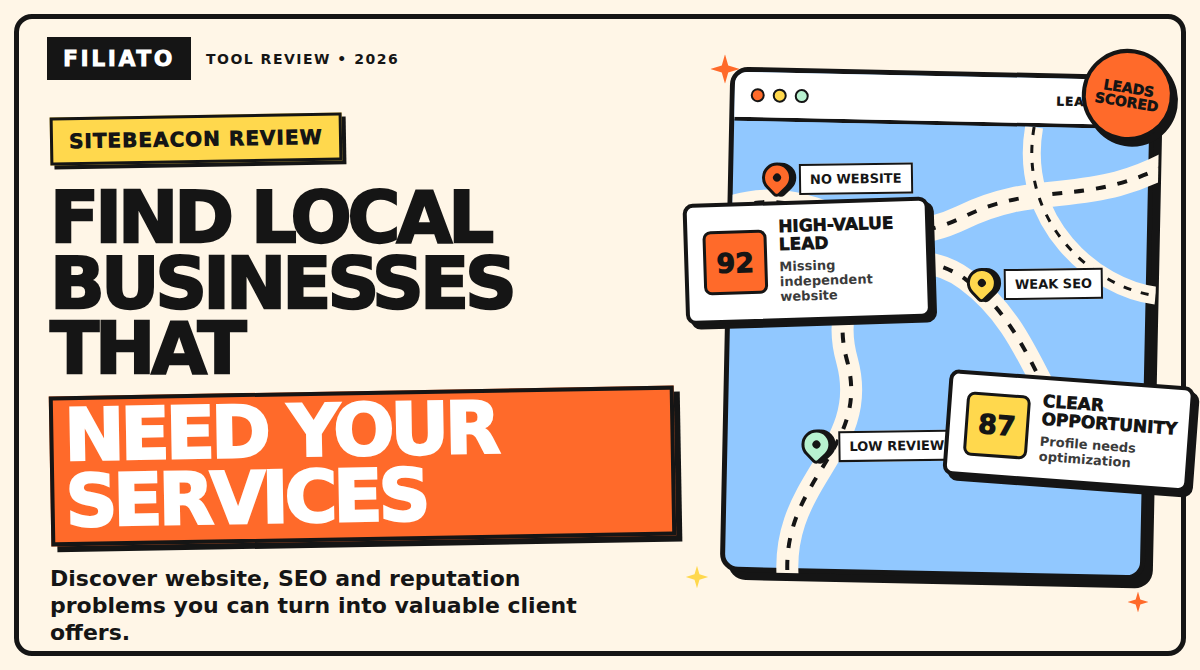
Finding local businesses is easy. Finding local businesses that have an obvious problem, a realistic reason to invest, and a need for your services is much harder.
That is the gap SiteBeacon is designed to close.
Instead of giving web designers, SEO specialists, freelancers, and marketing agencies another generic database filled with random companies, SiteBeacon searches local business listings and identifies visible weaknesses that you may be able to fix.
These weaknesses can include:
- A missing business website
- An outdated or poorly optimized website
- Weak online reviews
- An incomplete Google Business Profile
- Technical SEO and website performance problems
- Missing contact or business information
The result is a prospecting process built around genuine business needs instead of sending the same generic message to hundreds of random companies.
In this SiteBeacon review, we will look at how the platform works, its most important features, who it is designed for, and several practical ways you could use it to build a profitable service business.
Explore the SiteBeacon lifetime deal
What Is SiteBeacon?
SiteBeacon is an AI-assisted local business lead-generation platform created for freelancers, web designers, SEO professionals, consultants, and digital marketing agencies.
You enter a business category, location, search radius, and the type of problem you want to find. SiteBeacon then searches available Google Maps and Google Business Profile information to identify businesses that match your criteria.
For example, you could search for:
- Plumbers in Rotterdam without a proper website
- Dentists in Amsterdam with incomplete Google Business Profiles
- Beauty salons in Manchester with weak review scores
- Restaurants in Eindhoven with slow or outdated websites
- Accountants in London with limited online visibility
Instead of only returning a list of companies, SiteBeacon analyzes the available information and attempts to explain why each business could be a suitable prospect.
This gives you a reason to contact the business that is connected to a specific problem.
SiteBeacon focuses on three main opportunity categories:
Website opportunities
These can include businesses with no independent website, companies relying entirely on Facebook or Instagram, businesses using a third-party directory page, or companies with websites that appear to need improvement.
Reputation opportunities
SiteBeacon can identify businesses with weak ratings, limited reviews, or other reputation signals that could indicate a need for a better customer feedback and review-management process.
Google Business Profile opportunities
The platform can also find businesses with missing or incomplete Google Business Profile information. These businesses may be losing visibility, calls, website visits, bookings, or direction requests because their profiles are not properly optimized.
SiteBeacon can score leads, explain detected issues, generate outreach drafts, find possible contact routes, and store prospects inside a basic sales pipeline.
Higher plans also advertise API and MCP access for agencies that want to connect SiteBeacon with compatible AI agents or internal systems.
How Does SiteBeacon Work?
The SiteBeacon workflow is relatively simple.
Step 1: Choose a specific market
Start with one type of business in one location.
For example:
- Electricians in New York
- Dentists in Los Angeles
- Personal trainers in Amsterdam
- Beauty salons in Berlin
- Cleaning companies in London
A narrow search is usually more useful than searching for every possible business at once. It allows you to understand the problems, language, services, and customer expectations of that particular industry.
Step 2: Select an opportunity type
Choose the business weakness that is relevant to the service you want to sell.
If you build websites, look for companies without a strong website.
If you provide local SEO services, focus on incomplete Google Business Profiles or weak local visibility.
If you offer reputation-management services, search for businesses with limited reviews or poor customer feedback signals.
Step 3: Review the scored leads
SiteBeacon analyzes the results and attempts to place the strongest opportunities toward the top of the list.
Each lead can receive a score and grade based on the problems detected by the platform.
A high score does not automatically mean the business will become a client. It simply gives you a way to prioritize the companies that appear to have the clearest problems.
Step 4: Verify the information manually
This is an extremely important step.
AI analysis and third-party business data can be incomplete or outdated. A tool may fail to find a website even though the business has one. It may also detect an old social profile or miss a recently updated Google Business Profile.
Before contacting a company, personally check:
- Its website
- Google Business Profile
- Social media accounts
- Reviews
- Contact information
- The specific problem you plan to mention
SiteBeacon should be treated as a research assistant, not an unquestionable source of truth.
Step 5: Find the right contact channel
Depending on the business, the best channel could be:
- Telephone
- Facebook Messenger
- A website contact form
A local restaurant or beauty salon may respond more quickly on Instagram. A legal or accounting firm may prefer email. A plumber or electrician may be easier to reach by telephone.
Step 6: Personalize your outreach
SiteBeacon can generate outreach drafts based on the detected issue.
However, you should personalize every message before sending it.
Add one real observation, explain why the problem matters, and offer a simple next step. You could offer to send a short video audit, provide three recommendations, or schedule a 15-minute conversation.
Step 7: Track the outcome
SiteBeacon includes a lightweight pipeline where you can organize leads and mark them as contacted, replied, won, or lost.
You can also add notes and keep track of follow-ups.
This becomes especially useful when you are contacting multiple businesses and need to remember which company received which message.
The Most Important SiteBeacon Features
1. Three Search Modes Connected to Sellable Services
One of SiteBeacon’s biggest advantages is that its search modes are connected to services freelancers and agencies already sell.
A business without a website could become a website-design client.
A company with a weak Google Business Profile could purchase a profile optimization package.
A slow or outdated website could lead to a website audit, redesign, conversion optimization project, or ongoing SEO agreement.
This is much more useful than receiving a generic list of companies without knowing why they might need your help.
2. Live Local Business Discovery
SiteBeacon states that it gathers current business information from Google instead of relying entirely on a static database.
Searches can be performed internationally in locations where relevant Google business listings are available.
According to the AppSumo listing at the time of this review, a lead search costs two credits and can return up to 20 scored local businesses.
Additional activities, such as deeper analysis, website audits, contact discovery, and AI outreach features, may consume more credits.
Always check the current AppSumo listing before purchasing because credit costs, limits, and included features can change.
3. AI Lead Scoring
SiteBeacon can assign each lead a score between 1 and 100, together with a letter grade.
The score helps you prioritize the businesses that appear to have the strongest need for your service.
More importantly, SiteBeacon explains why it considers the lead a potential opportunity.
That explanation can help you distinguish between a business with a minor cosmetic problem and one with a serious commercial weakness.
For example, a company with a slightly outdated font may not urgently need a redesign. A business whose website does not work properly on mobile, has no clear contact button, and takes several seconds to load may have a much stronger reason to invest.
4. Website Audits and Opportunity Reports
For companies that already have websites, SiteBeacon can analyze areas such as:
- Website performance
- Search engine optimization
- Accessibility
- Mobile usability
- Technical best practices
Technical reports are useful, but your prospect may not care about technical scores by themselves.
The real opportunity is translating the technical problem into a business consequence.
Instead of saying:
“Your Largest Contentful Paint score is poor.”
You could explain:
“Customers using a mobile phone may have to wait too long before they can see your services or request a quote. Some of them could leave and choose a competitor.”
Business owners are usually more interested in missed calls, lost bookings, reduced trust, and fewer sales than they are in technical terminology.
5. Contact Discovery
SiteBeacon can look for contact information on a company’s website and identify possible social media channels for businesses that do not have websites.
This can reduce the time spent manually searching for email addresses and contact pages.
However, contact details should still be verified before you use them.
Make sure you are contacting the correct business, especially when multiple businesses have similar names.
6. Personalized Outreach and Follow-Up Drafts
SiteBeacon can generate messages based on the issue it has detected.
It can create outreach ideas for channels such as:
- Facebook Messenger
- Telephone conversations
It can also generate alternative angles and follow-up messages.
This can save time, particularly if writing sales messages is not your strongest skill.
However, these drafts should be treated as starting points.
Sending hundreds of unedited AI-generated messages can damage your reputation and produce poor results. A smaller number of well-researched and genuinely personalized messages will often be more effective.
7. Competitor Analysis
Competitor information can make your offer more concrete.
For example, imagine that a local dentist has a basic website with no online booking option. Three nearby competitors have modern websites, service pages, testimonials, online booking forms, and well-maintained Google Business Profiles.
You can use that information to show the dentist what potential patients see when comparing local options.
The goal is not to frighten or embarrass the business owner. The goal is to demonstrate an achievable gap and offer a reasonable way to close it.
8. Built-In CRM and CSV Export
SiteBeacon includes basic lead-management features, including:
- Lead statuses
- Notes
- Bulk actions
- CSV exports
- Shared lead databases on eligible plans
- Team credit pools on eligible plans
It may not replace a complete sales CRM for a large agency, but it could be sufficient for a freelancer or small team that wants to keep prospecting organized without introducing several different tools.
Smart Ways to Use SiteBeacon to Generate Income
SiteBeacon does not create income automatically.
Its value comes from helping you find visible problems and turn them into ethical, repeatable services.
Here are several business models you could build around the information SiteBeacon provides.
Strategy 1: Sell a Website Starter Package
Search for local service businesses that do not have an independent website.
Some companies may rely entirely on:
- A booking marketplace
- A directory listing
- A basic Google Business Profile
You could offer these businesses a focused website starter package.
The package might include:
- A professional homepage
- Service pages
- An About page
- Reviews or testimonials
- Contact information
- A quote or booking form
- Mobile optimization
- Basic analytics
- Search engine foundations
Avoid making the offer unnecessarily complicated. Many small businesses do not need a 30-page custom website.
They need a professional place where potential customers can understand the service, trust the company, and take action.
For example, you could target mobile car-detailing businesses in one region.
Your offer could be a five-page website for €1,500, followed by a €79 monthly care plan covering hosting, backups, security, software updates, and minor content changes.
Closing two website projects in one month would generate €3,000 in project revenue.
If ten customers remain subscribed to the €79 care plan, that would create €790 in monthly recurring revenue before expenses and taxes.
These numbers are only hypothetical examples. Your results will depend on your market, portfolio, pricing, sales ability, and delivery quality.
The important lesson is to sell the outcome rather than the number of pages.
“Help nearby customers find your services and request a quote” is more attractive than “I will build you a five-page WordPress website.”
Strategy 2: Offer Google Business Profile Optimization
Use SiteBeacon to look for businesses with incomplete or poorly optimized Google Business Profiles.
You could package a one-time optimization service that includes:
- Reviewing business categories
- Correcting business information
- Improving the business description
- Adding services
- Checking opening hours
- Organizing photos
- Adding appropriate tracking links
- Creating a process for future updates
- Reviewing frequently asked questions
A simple Google Business Profile optimization service could potentially be priced between €250 and €500, depending on the amount of work and your market.
After completing the initial optimization, you could offer a monthly local visibility package.
That recurring package might include:
- Profile updates
- New photos
- Google Posts
- Review-response support
- Website improvements
- Local ranking reports
- Competitor monitoring
Only make profile changes that the business owner has approved, and always follow Google’s current platform rules.
Strategy 3: Sell an Ethical Reputation System
Businesses with weak ratings may need more than someone asking for additional reviews.
They may need a better customer feedback process.
You could offer a reputation-management system that helps the business:
- Request honest feedback from real customers
- Respond to positive and negative reviews
- Identify recurring customer complaints
- Train staff to handle common problems
- Monitor new reviews
- Create professional response templates
Never promise a guaranteed rating.
Do not purchase fake reviews, write reviews on behalf of customers, or prevent unhappy customers from sharing genuine public feedback.
The strongest service is not “I will give you five-star reviews.”
It is:
“I will help you create a better customer-feedback process, respond professionally, and consistently request honest reviews from real customers.”
You could charge an initial setup fee and then offer monthly review monitoring and response support.
This creates recurring value while helping the business improve its actual customer experience.
Strategy 4: Use a Paid Audit to Win Larger Projects
For businesses that already have websites, do not immediately pitch a complete redesign.
Start with a smaller and less risky service.
For example, you could sell a website opportunity audit for €149.
The audit might include:
- Website speed
- Mobile experience
- Search visibility
- Conversion problems
- Contact and booking options
- Trust elements
- Competitor comparisons
- A prioritized 30-day improvement plan
The audit gives the business owner something useful without requiring a large initial commitment.
It also gives you an opportunity to demonstrate your expertise.
A possible service ladder could look like this:
- €149 website audit
- €600 speed and conversion improvement package
- €2,500 website redesign
- Monthly SEO, maintenance, or conversion optimization plan
The audit becomes the bridge between cold outreach and a larger project.
You could also offer the initial audit for free to a small number of highly qualified prospects. A short personalized video audit can be especially effective because it proves that you genuinely reviewed the business.
Strategy 5: Build a Niche Local Growth Subscription
Instead of serving every type of business, choose one niche and learn it deeply.
For example, you could create a service called:
“Local Growth System for Independent Dentists”
Your monthly package could include:
- Website maintenance
- Google Business Profile updates
- Conversion improvements
- Review-response templates
- Local SEO recommendations
- Competitor monitoring
- Monthly opportunity reports
You could build similar services for:
- Plumbers
- Electricians
- Beauty salons
- Personal trainers
- Accountants
- Restaurants
- Cleaning companies
- Car-detailing businesses
Specialization can improve your credibility and delivery efficiency.
You become familiar with the niche’s terminology, customer journey, common services, and most important conversion actions.
You can also reuse frameworks, audit templates, onboarding processes, and reporting systems while still producing customized work for every client.
Strategy 6: Use SiteBeacon as an Agency Research Tool
An established agency could use SiteBeacon as the first part of a larger sales process.
One team member could search for and qualify leads.
Another could verify the information and personalize the outreach.
A salesperson or specialist could then run discovery calls with interested businesses.
On eligible plans, API or compatible AI agent access may make it possible to connect SiteBeacon with an internal workflow.
Automation can improve efficiency, but it should not eliminate human review.
Every campaign should respect:
- Contact preferences
- Opt-out requests
- Privacy regulations
- Email marketing rules
- Platform policies
- Local telemarketing laws
A Realistic 30-Day SiteBeacon Workflow
Imagine you are a freelance web designer targeting independent home-service businesses.
Here is how you could structure your first month.
Week 1: Create the offer
Choose one niche and define a clear package.
For example:
- €1,500 website package
- €79 monthly website care plan
- Five-page website
- Mobile optimization
- Quote-request form
- Basic local SEO setup
- Analytics
- Hosting and maintenance option
Prepare one relevant portfolio example, a short audit template, and a simple booking link.
Week 2: Find and verify leads
Use SiteBeacon to identify between 40 and 60 potential businesses in one location.
Manually verify every lead.
Remove companies that already have strong websites, appear inactive, or do not match your offer.
Prioritize the strongest 15 to 20 opportunities.
Week 3: Send Personalized Messages
Contact prospects in small batches.
Mention one specific and verifiable problem.
Offer one useful recommendation and ask whether the owner would like a short video audit.
Avoid writing a long sales presentation in your first message. The purpose of the first contact is to start a conversation.
Week 4: Follow Up and Make Offers
Follow up politely with businesses that have not responded.
Speak with interested owners, understand their goals, and propose a clearly defined outcome.
Record every result.
Pay attention to:
- Which industries reply
- Which problems attract attention
- Which outreach messages work
- Which prices create resistance
- Which contact channels perform best
- Why potential clients say no
Suppose 20 carefully selected prospects produce four conversations and one €1,500 project.
If that customer also selects a €79 monthly care plan, the campaign has created immediate revenue and a small recurring asset.
Five retained care-plan customers would produce €395 per month.
Twenty retained customers would produce €1,580 per month before expenses and taxes.
These figures are hypothetical illustrations, not earnings promises. There is no guaranteed conversion rate or income.
A Cold Outreach Example
Subject: A quick idea for [BUSINESS NAME]
Hi [NAME],
I was looking at [TYPE OF BUSINESS] companies in [CITY] and noticed that [SPECIFIC, VERIFIED ISSUE].
On mobile, this may make it harder for potential customers to [BOOK, REQUEST A QUOTE, OR FIND A SERVICE].
I recorded a short, no-obligation audit with three practical improvements. Would you like me to send it over?
Best,
[YOUR NAME]
The most important part of this message is “specific, verified issue.”
Do not tell a company that it has no website simply because SiteBeacon failed to find it. Check the company’s website, business profile, and social media pages yourself before sending the message.
Who Is SiteBeacon Best For?
SiteBeacon may be particularly useful for:
- Freelance web designers looking for businesses with clear website problems
- Local SEO consultants selling profile optimization and technical improvements
- Reputation-management professionals using ethical review systems
- Small digital agencies that want research and lead management in one workflow
- Entrepreneurs creating productized services for specific industries
- Consultants offering website audits or conversion optimization
- Agencies that want a repeatable local prospecting process
Who May Not Need SiteBeacon?
SiteBeacon may be less useful for:
- Companies selling mainly to large enterprises
- Sales teams that need verified decision-makers based on job titles
- People expecting software to close clients automatically
- Anyone without a clear service to offer
- High-volume senders looking for a complete cold email delivery platform
- Teams that already have a mature local prospecting system
SiteBeacon is primarily a discovery, analysis, and outreach workflow tool. It is not a replacement for a credible offer, strong portfolio, sales skills, or quality service delivery.
SiteBeacon AppSumo Pricing
At the time of research on August 5, 2026, the AppSumo listing displayed three one-time lifetime plans:
Lifetime Starter: $79
- 150 monthly credits
- 300 signup credits
- One team seat
Lifetime Pro: $169
- 400 monthly credits
- 750 signup credits
- Three team seats
Lifetime Agency: $349
- 900 monthly credits
- 1,500 signup credits
- Ten team seats
SiteBeacon was listed as an AppSumo Radar product at the time of this review.
Radar products are generally early-stage tools. AppSumo performs basic listing and safety checks, but the products have not necessarily been fully vetted for every feature claim or promised result.
The SiteBeacon listing did not display customer reviews when this article was researched.
That does not mean the product is bad, but it does create additional risk. Buyers have less public feedback available when evaluating reliability, lead quality, and long-term development.
Prices, credits, plan limits, and terms can change. Check the current listing before making a purchase.
At the time of research, the listing stated that purchases were refundable for up to 60 days and that licenses needed to be activated within 60 days. The deal was not covered by AppSumo’s broader “We Got Your Back” guarantee.
Check the current SiteBeacon deal and plan details
Important Limitations and Risks
Early-stage software risk
SiteBeacon is an early-stage product. Features, integrations, prices, credit allowances, and the overall product direction could change.
Data may not always be accurate
A missing field does not prove that a company has no website, email address, or social profile.
Always verify information before contacting a business.
AI-generated information requires review
AI analysis and outreach drafts can be incorrect, repetitive, or overly generic.
Every message should be reviewed and personalized by a human.
Credits may be consumed quickly
Searches, audits, contact discovery, and AI features may use different numbers of credits.
Test a realistic campaign to understand your actual cost per qualified lead.
Outreach laws vary
Privacy, email marketing, telephone marketing, and electronic communication laws differ by country.
Follow the regulations that apply to your location and the recipient’s location. Respect opt-out requests and avoid deceptive or aggressive outreach.
There is no income guarantee
A lead list is not the same as revenue.
Your targeting, offer, portfolio, communication, pricing, follow-up, and quality of delivery determine whether the process becomes profitable.
SiteBeacon Review: Final Verdict
SiteBeacon is built around a clear and commercially useful idea.
It helps freelancers and agencies find local businesses based on problems they may be able to solve.
Its three main opportunity categories connect naturally to services such as:
- Website design
- Website redesign
- Technical SEO
- Local SEO
- Google Business Profile optimization
- Website performance improvements
- Reputation management
- Conversion audits
- Hosting and maintenance
The lead scoring, website audits, competitor information, contact discovery, and outreach drafts could reduce the amount of time required to research potential clients.
The lightweight CRM can also prevent follow-ups from becoming disorganized.
The biggest concern is the maturity of the product.
SiteBeacon was an early-stage AppSumo Radar product with no public AppSumo reviews when this article was researched.
If you decide to purchase it, treat the refund period as a practical testing window.
Run searches in the cities and industries you actually want to target.
Verify the businesses manually.
Measure how many useful prospects you receive and calculate how many credits a typical campaign consumes.
Most importantly, evaluate whether the information helps you start better conversations with real business owners.
SiteBeacon does not need to generate thousands of leads to be valuable. One suitable client can be worth considerably more than a large database filled with weak or irrelevant prospects.
Frequently Asked Questions
Is SiteBeacon a website-monitoring tool?
The product discussed in this review is SiteBeacon.ai, the local business lead-generation platform available through AppSumo.
It should not be confused with SiteBeacon.io, which is a separate website-monitoring product.
Does SiteBeacon work outside the United States?
According to the vendor and the AppSumo listing, SiteBeacon can search internationally in locations where relevant Google business listings are available.
The amount of business and contact information available will vary by country and location.
Can SiteBeacon send cold emails automatically?
SiteBeacon can generate outreach drafts and support a contact workflow.
It should not be treated as permission to send unreviewed bulk emails. Check the platform’s current capabilities and follow all applicable email marketing laws and platform policies.
What services can I sell using SiteBeacon leads?
Possible services include:
- Website design
- Website redesign
- Website speed optimization
- Technical SEO
- Local SEO
- Google Business Profile optimization
- Ethical reputation management
- Conversion audits
- Website hosting
- Website maintenance
- Review-response support
Can SiteBeacon guarantee clients or income?
No.
SiteBeacon can help you discover and analyze possible opportunities, but it cannot guarantee replies, clients, sales, or profit.
Your results will depend on the accuracy of the data, your offer, portfolio, communication, targeting, pricing, sales process, and delivery quality.
Which SiteBeacon plan should I choose?
A solo freelancer could start by testing the lowest plan against a real prospecting campaign.
A small agency may benefit from the additional monthly credits, team seats, and integration features available with the higher plans.
Choose a plan based on your actual credit consumption and workflow requirements, not only the advertised discount.
Final Thoughts
SiteBeacon could be a useful tool for freelancers and agencies that already possess a valuable skill but struggle to consistently find relevant prospects.
The platform’s strongest feature is not simply its ability to find local businesses.
Its real value is the ability to connect a visible business problem with a service you can offer.
That could mean helping a plumber receive more quote requests, helping a restaurant improve its mobile experience, helping a dentist strengthen its local presence, or helping a beauty salon create a more professional reputation system.
Used properly, SiteBeacon can become the research layer behind a focused client-acquisition process.
The software finds possible opportunities. Your responsibility is to verify them, approach businesses respectfully, provide genuine value, and build services worth paying for.